Retrospectives
Icebreaker
Open the retrospective with a short game.
The icebreaker is an optional first phase: the team plays a short game on the board before it starts writing. This page shows how to turn it on, run a round and move on.
Turn the icebreaker on
Do one of these:
- when you create the retrospective, turn on Icebreaker at the start and pick the game;
- on a board that is already open, as the facilitator, open the session settings and turn on Icebreaker under Phases, see Facilitating.
A retro created with the icebreaker opens on that phase. The switch cannot be turned off while the board is in the Icebreaker phase: move to Writing first.
Play
During the phase the columns are replaced by a game room. The facilitator is its host.
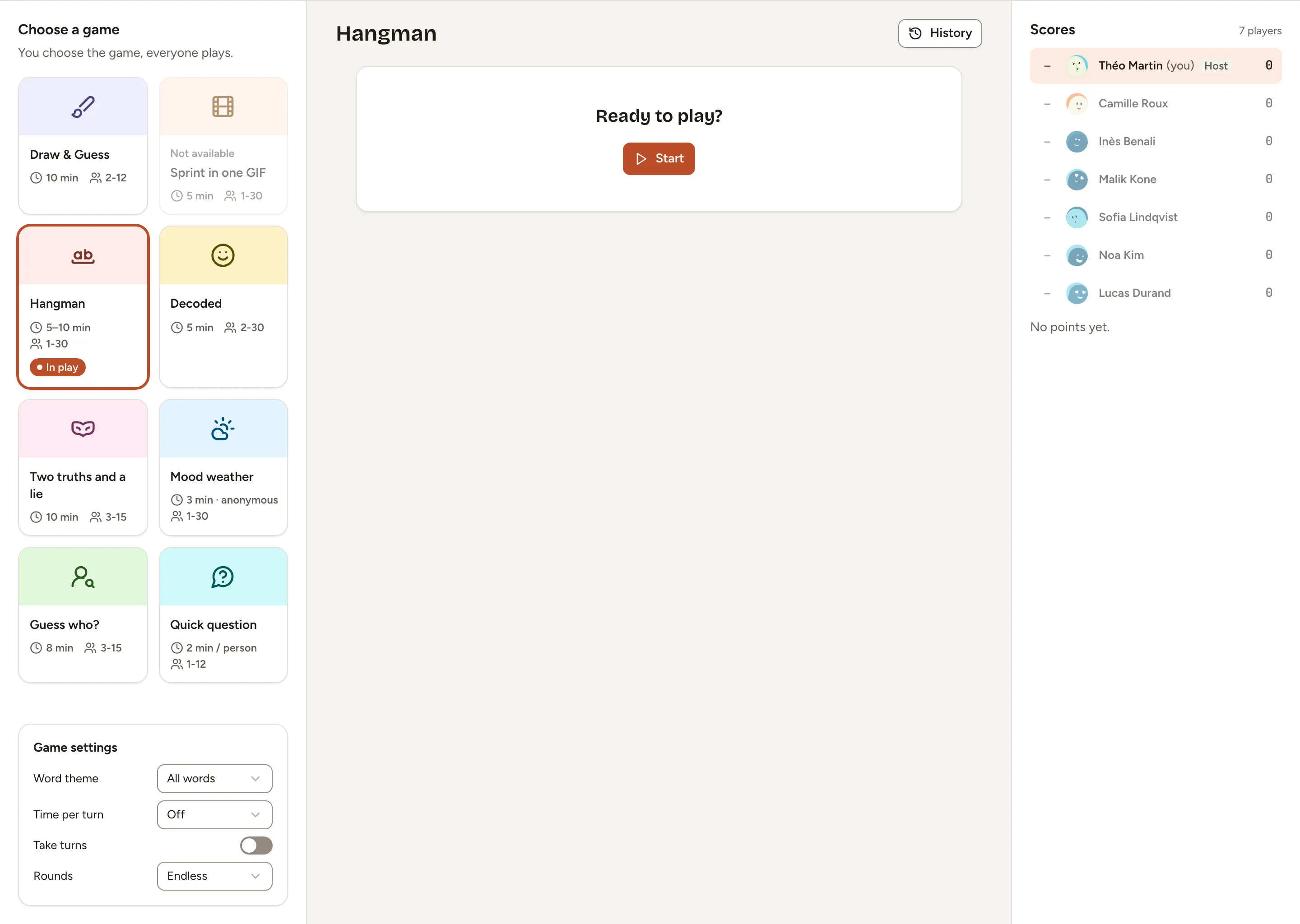
- As the facilitator, pick a game under Choose a game. You choose the game, everyone plays. The eight games are Draw & Guess, Sprint in one GIF, Hangman, Decoded, Two truths and a lie, Mood weather, Guess who? and Quick question; each card shows how long it takes and for how many players.
- Adjust the Game settings under the list if the game has some.
- Select Start.
- Play as many rounds as you want. Scores keeps the points of each player, and History opens the last rounds.
The participants of the retro are the players. The rules of each game are in the Games section.
Sprint in one GIF is marked Not available unless the instance has a GIF provider configured.
During the icebreaker the timer in the header is the game’s own clock for the round. It cannot be paused.
Move on, or skip it
As the facilitator, select Go to the retro in the bar at the bottom of the board. The board moves to Writing and a round still in progress is abandoned.
To skip the icebreaker, select Go to the retro without starting a round.