Administration
MCP keys
See the API tokens of every account of the instance, and revoke one.
In Administration, MCP keys shows an instance admin every key that connects an AI assistant to the instance’s MCP server, whoever created it, and lets them revoke any of them.
A key always belongs to a person
Skrüm has no key at the level of the instance. Every key in this list is the personal API token of one account: the assistant that uses it acts as that person, within the scopes and the team the token was given.
Create a key therefore does not create a shared key. It opens the API tokens part of your own account settings, where you create a token for yourself: see API tokens. A key is shown only once, to the person who creates it.
Read the list
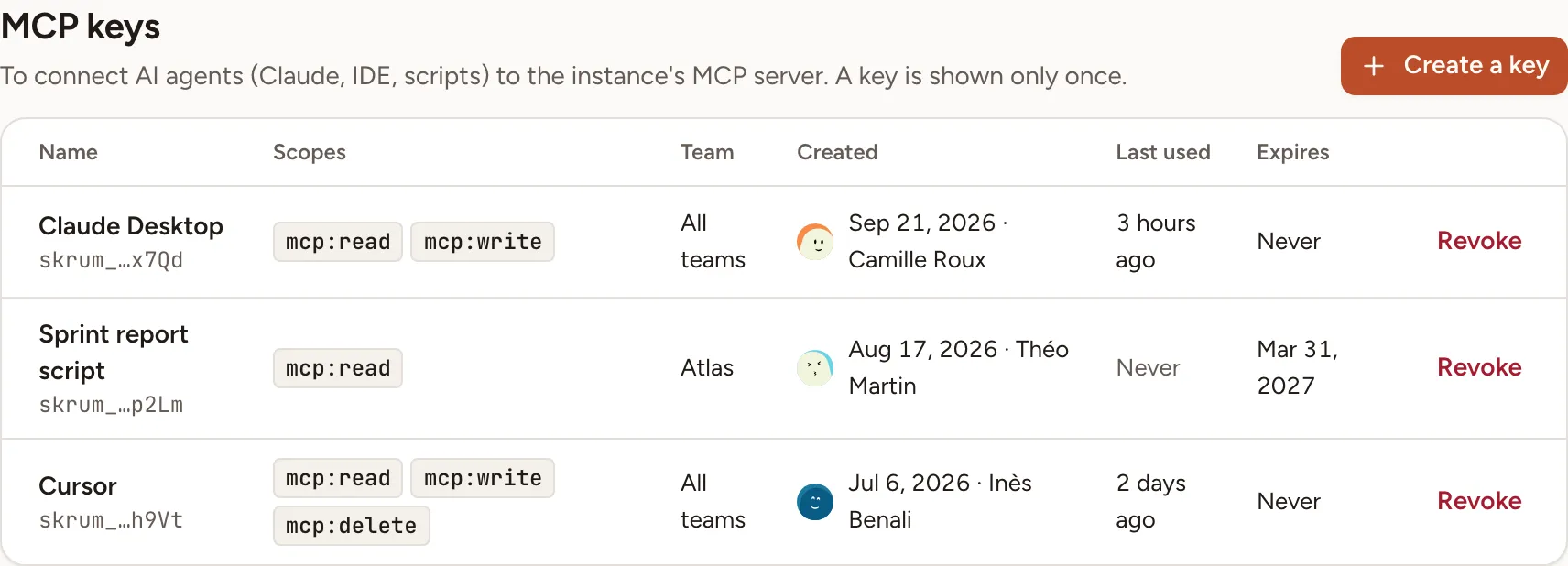
Keys are listed from the newest to the oldest, 25 per page.
| Column | What it shows |
|---|---|
| Name | The name its owner gave the key and, under it, a fingerprint: the prefix skrum_ and the last four characters. The key itself is never shown |
| Scopes | What the key may do: mcp:read, mcp:write, mcp:delete |
| Team | The one team the key is limited to, or All teams |
| Created | The date, and the person the key belongs to |
| Last used | How long ago an assistant last used it, or Never |
| Expires | The date it stops working, or Never |
Revoke a key
- On the key’s row, select Revoke.
- The dialog names the key and its owner. Confirm with Revoke.
Assistants using the key stop at once. The revocation is recorded in the audit log with the name of the key and its owner. The owner can create a new token from their account settings.
The keys of a deactivated account are refused without being revoked: see Users and admins.
When the MCP server is off
When the environment sets SKRUM_MCP_ENABLED to false, the page shows “The MCP server is off (SKRUM_MCP_ENABLED).” Existing keys stay in the list and can still be revoked.