Integrations
Webhooks
Send Skrüm's events and shared links to an address of your own, check their signature, and follow or replay each delivery.
After this page, a team sends signed JSON requests to a receiver you run: when someone shares a link or the results of a retrospective, and by itself when the events you choose happen. There is no vendor here: the contract below is Skrüm’s own.
Who can set it up
- Turning webhooks on: an instance admin, in Administration, then Integrations, Configure on the Webhook row, Enabled. The environment variable is
OUTGOING_WEBHOOKS_ENABLED; a value saved in the dialog wins over it. - A team’s webhook: a workspace owner or admin, or the team’s owner, on the team’s Integrations page. A team has one webhook.
Before you start
Your receiver must accept POST requests with a JSON body and answer within 10 seconds. Its address must:
- start with
https://; - be at most 2048 characters, with no user name or password in it;
- use port 80, 443, or a port from 1024 to 65535;
- resolve to public addresses only.
Two environment variables, which have no field in the administration, relax this for a private network.
| Variable | Default | Effect when true |
|---|---|---|
OUTGOING_WEBHOOKS_ALLOW_PRIVATE_NETWORKS |
false |
Addresses that resolve to a private network are accepted |
OUTGOING_WEBHOOKS_ALLOW_HTTP |
false |
http:// addresses are accepted |
Skrüm checks the address when you save it and again before every request. It does not follow redirects.
Connect a webhook
- Open the team’s settings and select Integrations.
- Select Connect on the Webhook row, then Connect in the panel.
- Paste your receiver’s address into Endpoint URL. Label (optional), 80 characters at most, is shown on this page only.
- Select Connect. Skrüm shows the Signing secret.
- Copy the secret and store it in your receiver, then select I’ve saved the secret. Skrüm never shows it again.
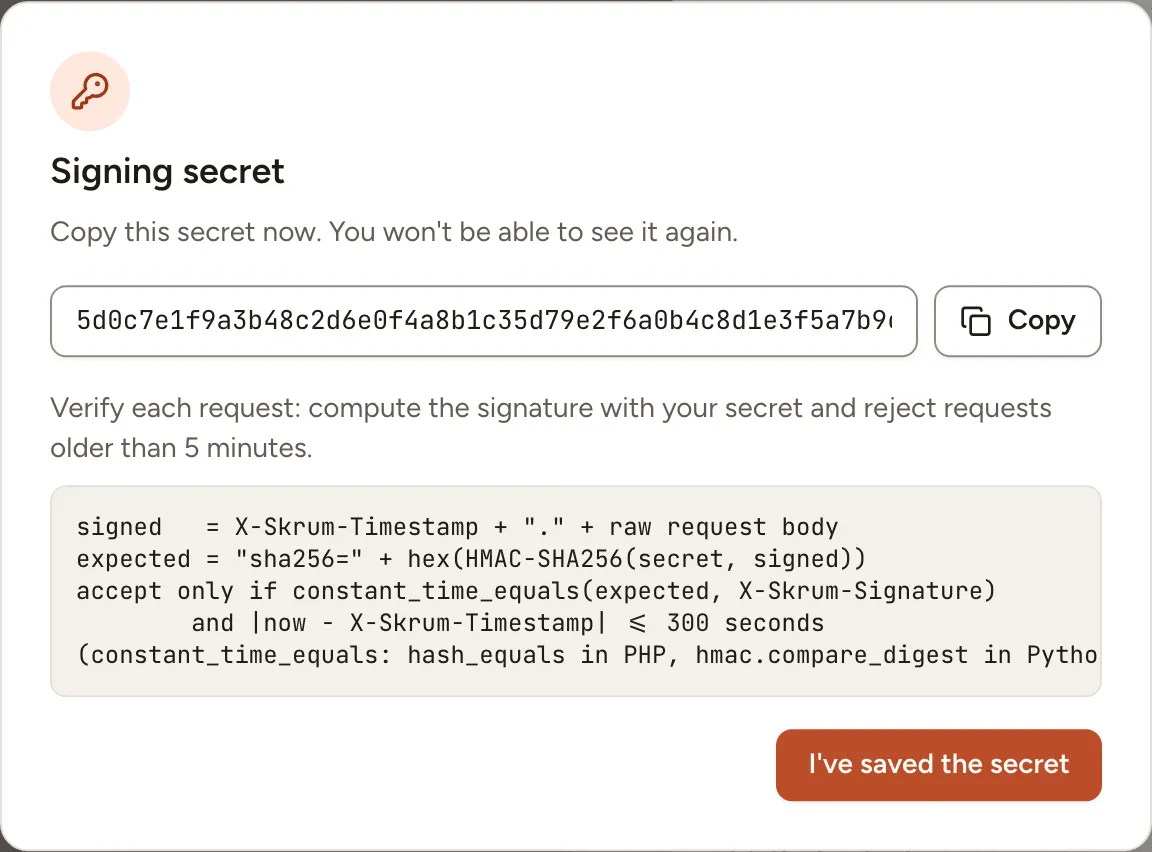
The panel then shows the Host, the Label, when the secret was created and the last successful delivery. The address is never shown again: Replace URL takes a new one and keeps the secret.
Choose the events
Under Send automatically, tick the events the webhook sends by itself, then select Save events. None is ticked at first.
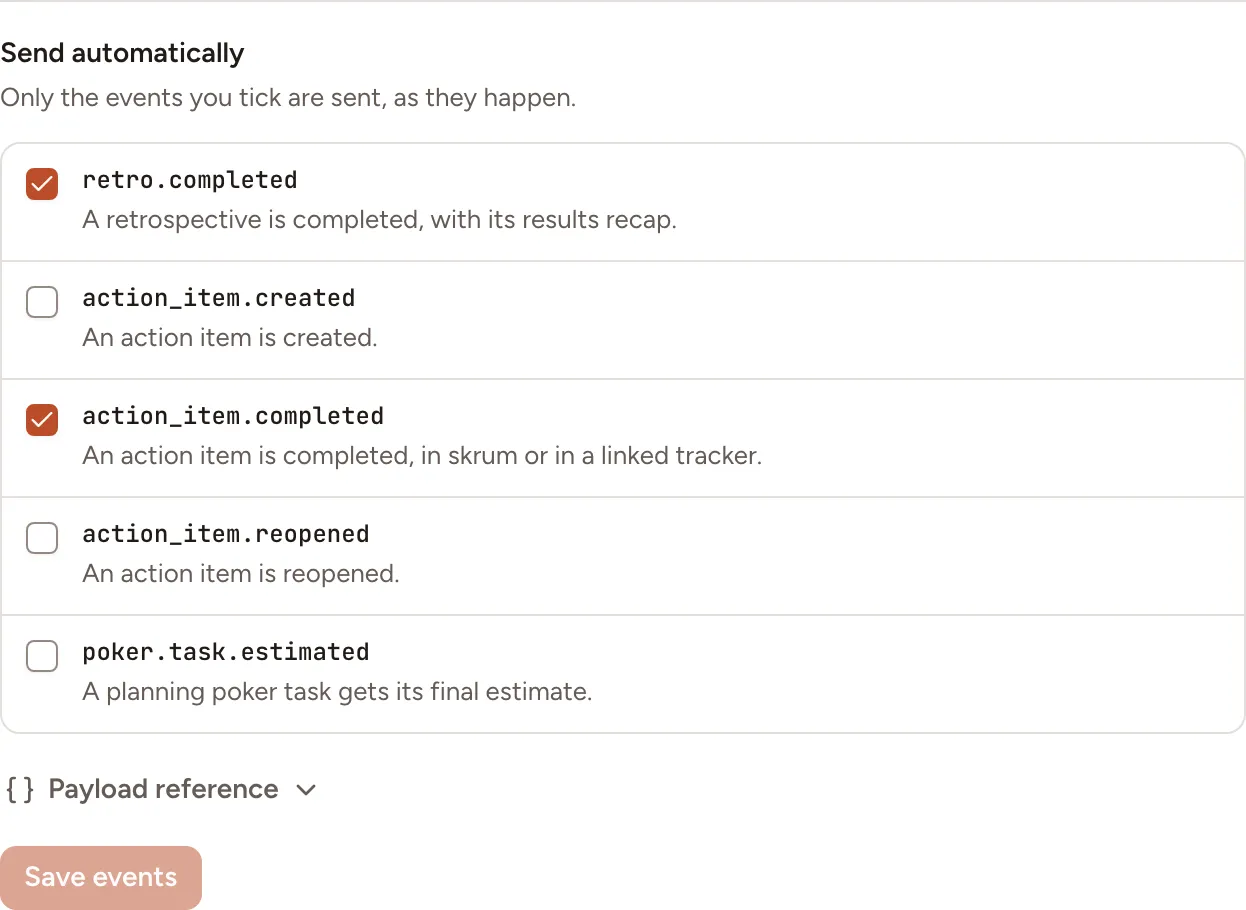
| Event | Sent when |
|---|---|
retro.completed |
A retrospective is completed, with its results recap |
action_item.created |
An action item is created |
action_item.completed |
An action item is completed, in Skrüm or in a linked tracker |
action_item.reopened |
An action item is reopened |
poker.task.estimated |
A planning poker task gets its final estimate |
Four more events are sent when a person shares a link with Send link to webhook or the results of a retrospective with Send to webhook, whatever is ticked: retro.link, poker.link, game_room.link and retro.results. Send a test message sends webhook.test.
Webhook events gives the body of each one.
The request
Every request is a POST with Content-Type: application/json and User-Agent: skrum-webhooks/1.
| Header | Value |
|---|---|
X-Skrum-Event |
The event’s name, such as action_item.completed |
X-Skrum-Delivery |
The delivery’s identifier, the same as id in the body |
X-Skrum-Timestamp |
When this attempt was sent, in seconds since 1970 |
X-Skrum-Signature |
sha256= followed by the signature, see below |
X-Skrum-Redelivery |
true on a delivery sent again from the log; absent otherwise |
The body always has these seven members.
{
  "version": 1,
  "id": "4f1c2e9a-8d3b-4b8e-9f51-2a7c0d6e5b13",
  "event": "action_item.completed",
  "occurredAt": "2026-10-07T10:00:00Z",
  "sentAt": "2026-10-07T10:00:02Z",
  "team": { "id": "…", "name": "Atlas" },
  "data": {}
}
id stays the same on every retry and on a redelivery, so use it to ignore a message you already handled. sentAt changes with each attempt. data depends on the event.
Verify the signature
The signature is the HMAC-SHA256, in hexadecimal, of the timestamp, a dot and the raw body, keyed with the signing secret:
X-Skrum-Signature = "sha256=" + hex(HMAC-SHA256(secret, X-Skrum-Timestamp + "." + raw body))Compute it over the bytes you received, before parsing the JSON, and compare in constant time. Refuse a request whose timestamp is more than 5 minutes away from your clock. In Python:
import hashlib
import hmac
import time


def is_from_skrum(secret: str, headers: dict, raw_body: bytes) -> bool:
    timestamp = headers["X-Skrum-Timestamp"]
    signed = timestamp.encode() + b"." + raw_body
    expected = "sha256=" + hmac.new(secret.encode(), signed, hashlib.sha256).hexdigest()

    if abs(time.time() - int(timestamp)) > 300:
        return False

    return hmac.compare_digest(expected, headers["X-Skrum-Signature"])
Rotate secret replaces the secret after a confirmation and shows the new one once. The old secret stops working immediately, so update your receiver at once.
Answers and retries
Answer with any 2xx status to accept a delivery. Skrüm keeps the status and the first 2 KB of your answer, nothing more.
| Your answer | What Skrüm does |
|---|---|
2xx |
Marks the delivery Sent |
5xx, no answer within 10 seconds, or an unreachable host |
Tries again, see below |
429 |
Waits for the time in your Retry-After header, 30 seconds without one and one hour at most, then tries again. The wait does not count as a failed attempt |
410 |
Marks the delivery Failed and turns the webhook off at once |
| Any other status, a redirect included | Marks the delivery Failed without retrying |
| Delivery | Attempts | Waits between attempts | Gives up after |
|---|---|---|---|
| An event sent automatically | 7 | 30 seconds, 2 minutes, 10 minutes, 30 minutes, 1 hour, 2 hours | 4 hours |
| A shared link or results, a redelivery | 4 | 10 seconds, 1 minute, 5 minutes | 1 hour |
When a webhook is turned off
Skrüm turns a webhook off by itself in two cases: your receiver answered 410, or 10 deliveries in a row failed and none succeeded in the last 24 hours. The row then reads Reconnect required and the panel gives the reason, The receiver asked skrum to stop. or Disabled after 10 failed deliveries in a row. While it is off, nothing is sent and the events that happen are not kept for later.
To turn it back on, open the panel and select Re-enable, or paste an address with Replace URL.
The delivery log
In the panel, select Show deliveries. The log lists 25 deliveries per page, the most recent first, with the time, the event, the status (Queued, Sent or Failed), the number of attempts, your answer’s status and the error.
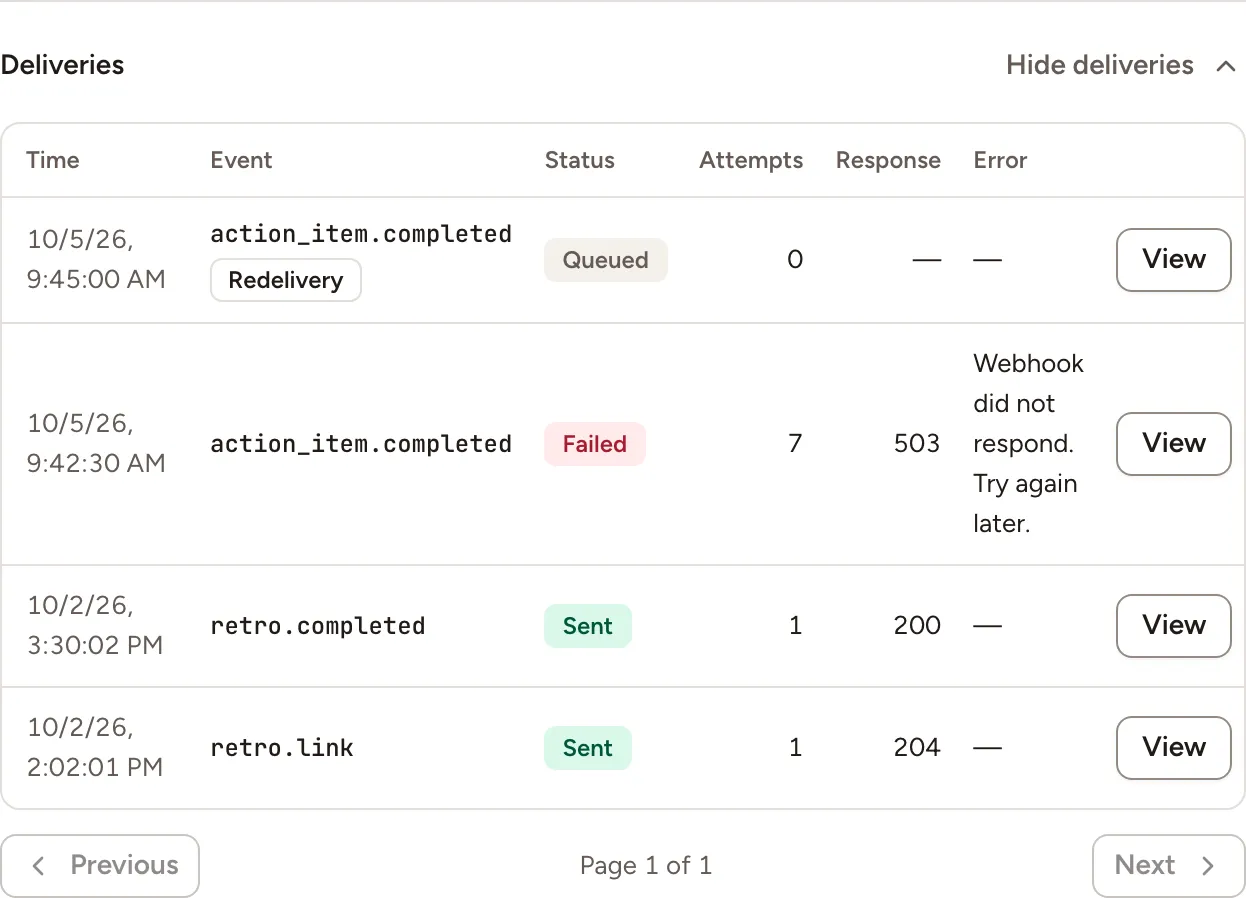
- View opens the request Skrüm sent, headers and body, and your answer. The signature is masked.
- Redeliver sends the same message again, with the same
idand the headerX-Skrum-Redelivery: true. It appears as a new line marked Redelivery. The table scrolls sideways when it is wider than the panel; the button is at the end of the line.
A delivery cannot be sent again while it is still being sent, while a redelivery of it is queued, or while the webhook is turned off.
Skrüm keeps the lines of the log for 90 days and the content of a delivery for 30 days. After that the line reads Content no longer kept and can be neither viewed nor sent again. Content not kept marks a message that was not stored, for example because it was too large, about 250 KB and more.
Test it
Open the panel and select Send a test message. Your receiver gets a webhook.test event whose data is {"message": "skrum is connected."}, signed like any other, and Skrüm shows Test message sent. A test does not appear in the log.
Troubleshooting
| What you see | What to do |
|---|---|
| No Webhook row on the team’s page | An instance admin has not turned Enabled on, or turned the provider off |
| This URL points to a private or invalid address. | The address breaks one of the rules of “Before you start” |
| Could not reach followed by the host | The host does not resolve, or did not answer within 10 seconds |
| The receiver answered followed by a status | Your receiver refused the request. Look at View for what it answered |
| This webhook URL is no longer allowed. Paste a new one. | The instance’s rules changed, for example plain HTTP is no longer allowed. Select Replace URL |
| The signing secret is missing. Rotate it to continue. | Select Rotate secret and store the new secret in your receiver |
Disconnecting
Turn the row’s switch off, or select Disconnect in the panel, and confirm. Nothing is sent to your receiver any more and Skrüm deletes the address and the secret. The receiver itself is yours to remove.