Getting started
Join as a guest
Join a session with a link or a code, without an account.
You can take part in a session without an account: the person who runs it sends you a link or a code, and you choose a nickname. This page is for guests, and for facilitators who want to let guests in.
Guests can join retrospectives, planning poker games, whiteboards, surveys and games.
Join with a link
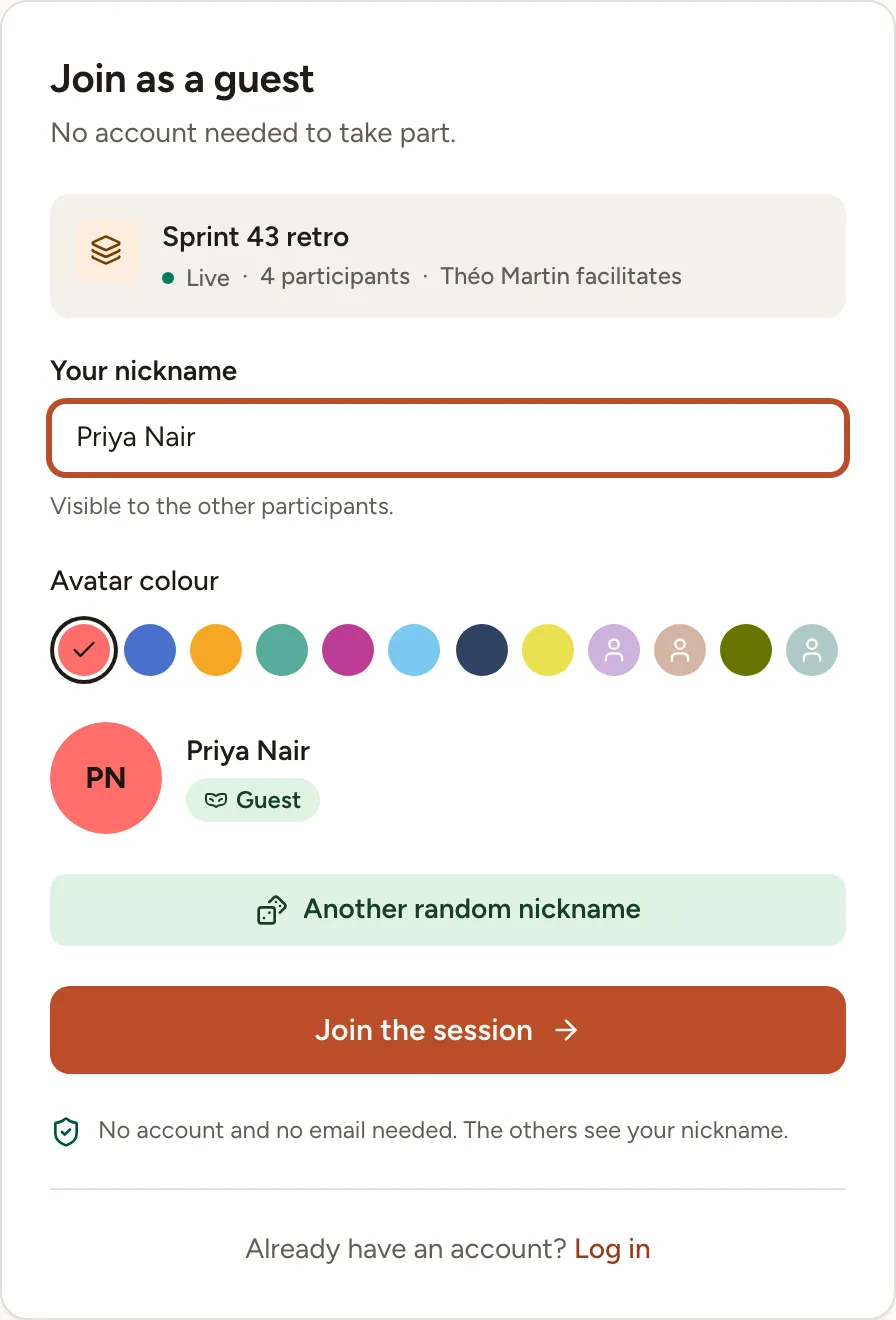
- Open the link you received. The page Join as a guest shows the name of the session, how many people are in it and who facilitates.
- Check Your nickname. Skrüm suggests one; type your own, up to 50 characters, or select Another random nickname. The others see this name.
- Pick an Avatar colour. The colours already worn in the session cannot be picked.
- Select Join the session.
A planning poker game adds one choice: Join as spectator, to watch without voting.
You are asked for no email address and no password. Your browser remembers you for that session for 30 days: open the link again from the same browser and you are back in the session, under the same nickname.
If you are signed in and belong to the session’s team, the link takes you straight to the session.
Join with a code
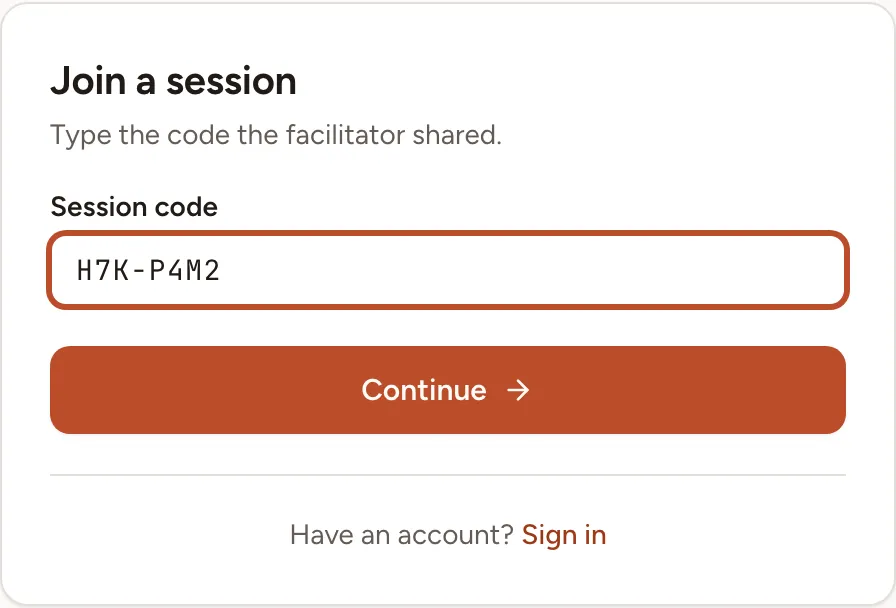
A session open to guests also has a code, such as H7K-P4M2, which the facilitator can read out.
- Open
/joinon your team’s instance, for examplehttps://skrum.example.com/join. - Type the code in Session code. Capitals, spaces and the hyphen do not matter.
- Select Continue. You arrive on the same page as with the link.
No session matches this code. means that the code is wrong, or that the session no longer accepts guests. Ask the facilitator for the current code.
What a guest can do
In a retrospective, a guest takes part like a member: writing cards, voting, and adding action items. The picture shows a guest on a board in the Voting phase.
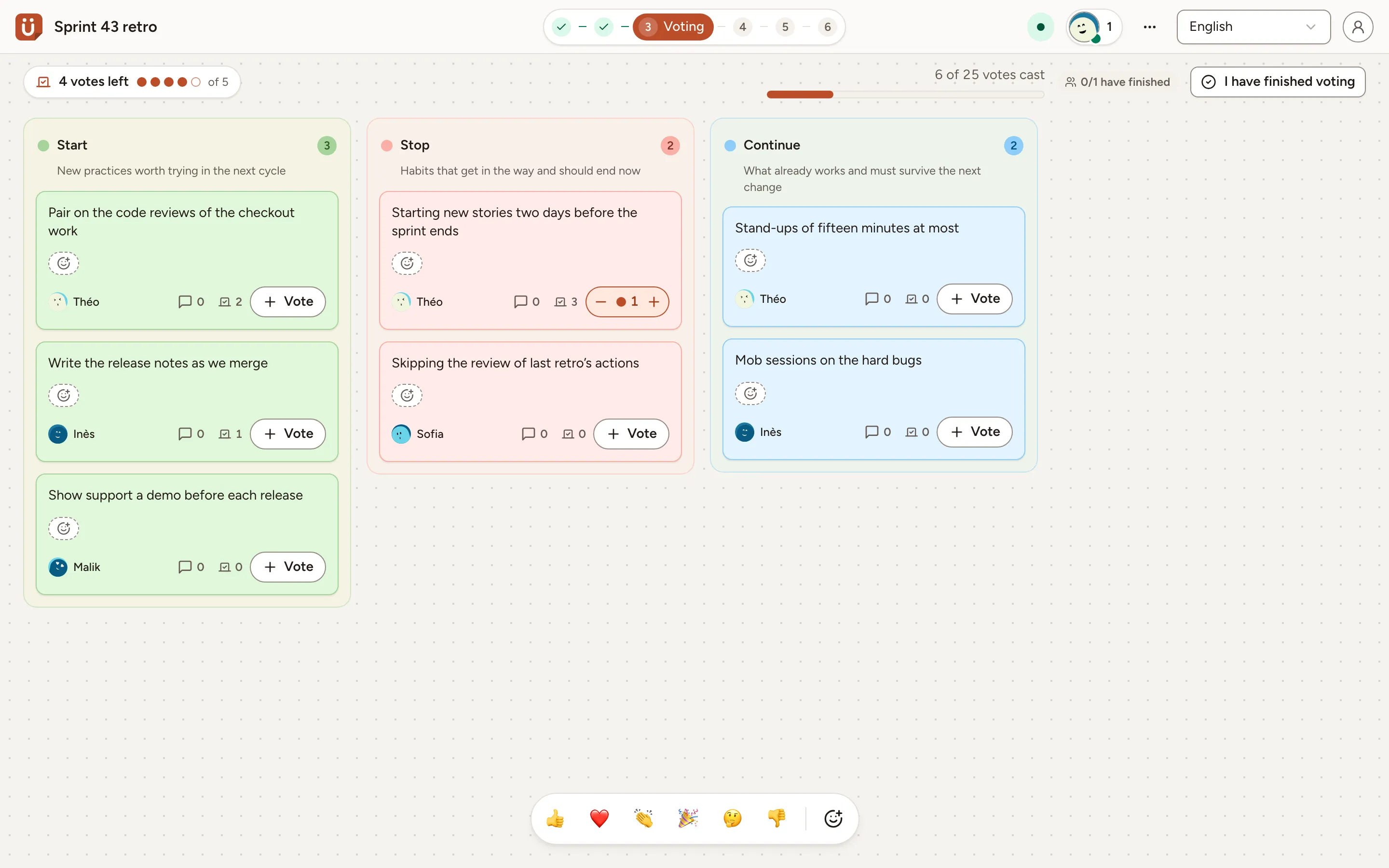
A guest never facilitates: the phases, the settings and the Share dialog belong to the facilitator, and the role can only be handed to a member of the team. A guest sees the session and nothing else of the team: no link back to the team page, and none of the action items carried over from earlier retros.
In the other kinds of session:
| Session | A guest can | A guest cannot |
|---|---|---|
| Planning poker | vote, or watch as a spectator | add, edit or import tasks; facilitate |
| Whiteboard | work on the board | save it as a template, duplicate it, facilitate |
| Survey | answer | edit, duplicate or export the survey, or compare it with another |
| Game | play | host the room |
Let guests in
Guest access is off when a session is created. It is turned on by the person who creates the session or, later, by the person who runs it: the facilitator, or the host of a game room.
- When creating the session: in the New session dialog, under Invitation, turn on Allow guests without an account. Each of the five session types has this switch.
- In a session that is running: select Share in the header (Invite in a game room), then turn on Allow guests without an account.
The Share dialog then shows the guest link with a Copy button, a QR code of that link, and the Session code with Copy the code. Each kind of session has its own page for this: retrospectives, planning poker, whiteboards, surveys and games.
Two limits apply:
- A survey accepts guests once it is no longer a draft.
- An icebreaker played inside a retro has no link of its own: guests of the retro take part in it.
To stop letting guests in, turn the switch off: the link and the code stop working, and the guests who are in the session lose access. Regenerate link replaces the link and the code: the old ones stop working, and the guests who had joined with the old link have to join again.