Planning poker
Decks
The built-in decks and their cards, and how to make a deck for a game, a team or a workspace.
This page lists the cards of each deck and shows how to make your own. Anyone who may start a game may save a deck for the team; a deck for the whole workspace is made by an owner or an admin of the workspace.
The five kinds of deck
A game uses one of five kinds of deck: four are built in, the fifth holds the values you choose.
| Deck | Cards |
|---|---|
| Fibonacci | 0, 1, 2, 3, 5, 8, 13, 21, 34, 55, 89, ?, ☕ |
| Modified Fibonacci | 0, ½, 1, 2, 3, 5, 8, 13, 20, 40, 100, ?, ☕ |
| T-shirt sizes | XXS, XS, S, M, L, XL, XXL, ?, ☕ |
| Powers of 2 | 0, 1, 2, 4, 8, 16, 32, 64, ?, ☕ |
| Custom | 2 to 20 values of your own, 8 characters each at most, with or without ? and ☕ |
? is “I don’t know” and ☕ is “I need a break”. A player may play them, but they do not count in the average, the median or the agreement, and cannot be the final estimate.
When every value of a deck is a number, a round gives an average and the queue adds up the estimates. A deck with other values, such as T-shirt sizes, gives the most played card instead.
The deck of a game can change in Game settings until someone votes.
Make a deck for one game
- In the New session dialog, select New deck. In Game settings, before the first vote, select Create a deck.
- Type each value under Values and press Enter. Their order is the order of the cards.
- Under Special cards, keep or turn off I don’t know and I need a break.
- Select Use this deck.
In the New session dialog the deck has an optional name: with a name, it is also saved for the team.
Save decks for the team
In a game, open Game settings and select Manage decks. The Saved decks page shows the built-in decks, the decks of the team and those of the workspace, each with its cards and the number of the team’s games that used it.
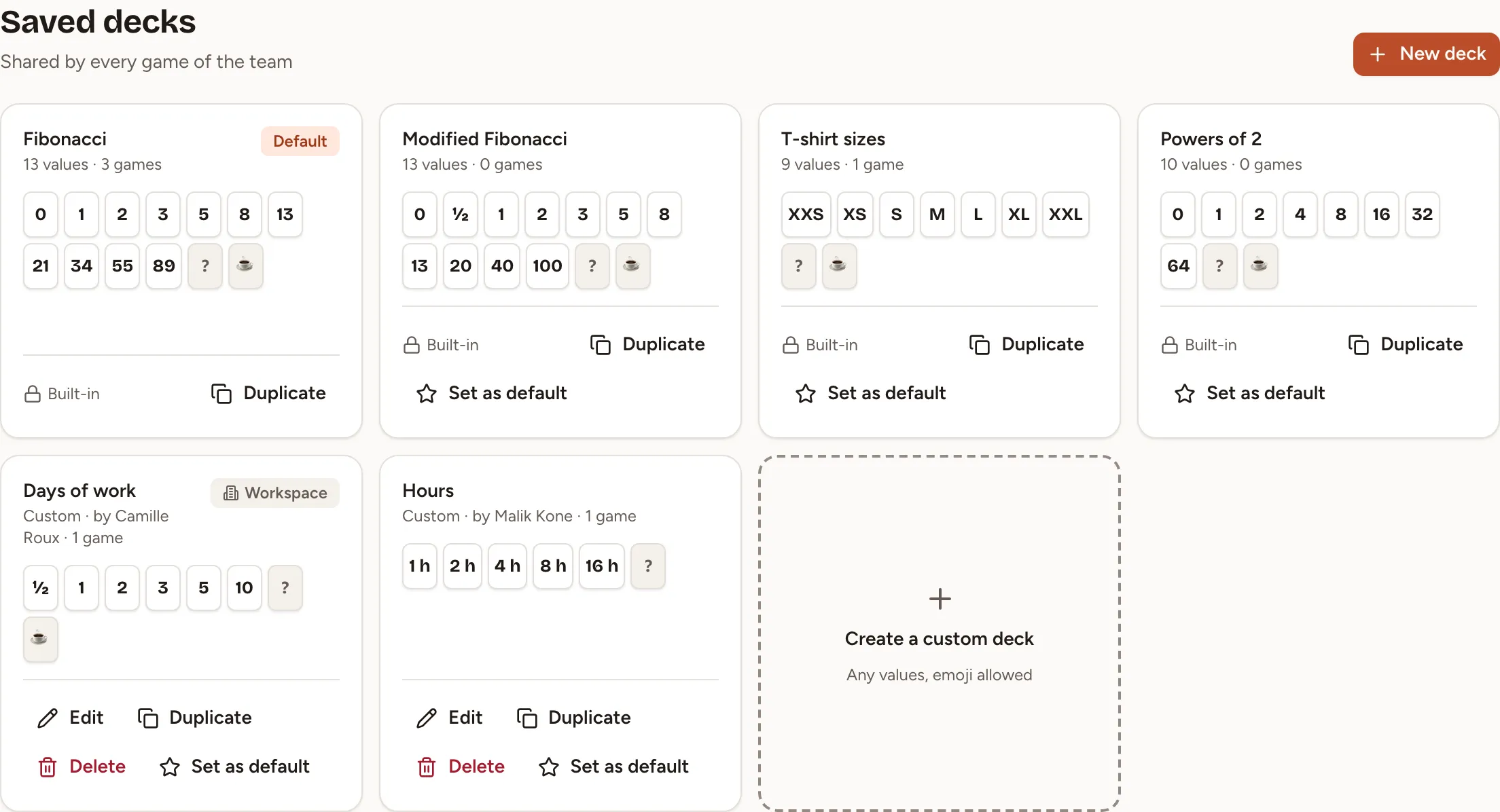
- New deck opens the editor with a Name, 40 characters at most, that no other deck of the team has. A team keeps up to 30 saved decks.
- Duplicate copies any deck, built-in ones included, into a new deck of the team.
- Edit and Delete are offered, for a deck of the team, to the person who made it and to the owners and admins of the workspace; for a deck of the workspace, to those owners and admins only.
- Set as default chooses the deck a new game starts with. It is offered to the owner of the team and to the owners and admins of the workspace.
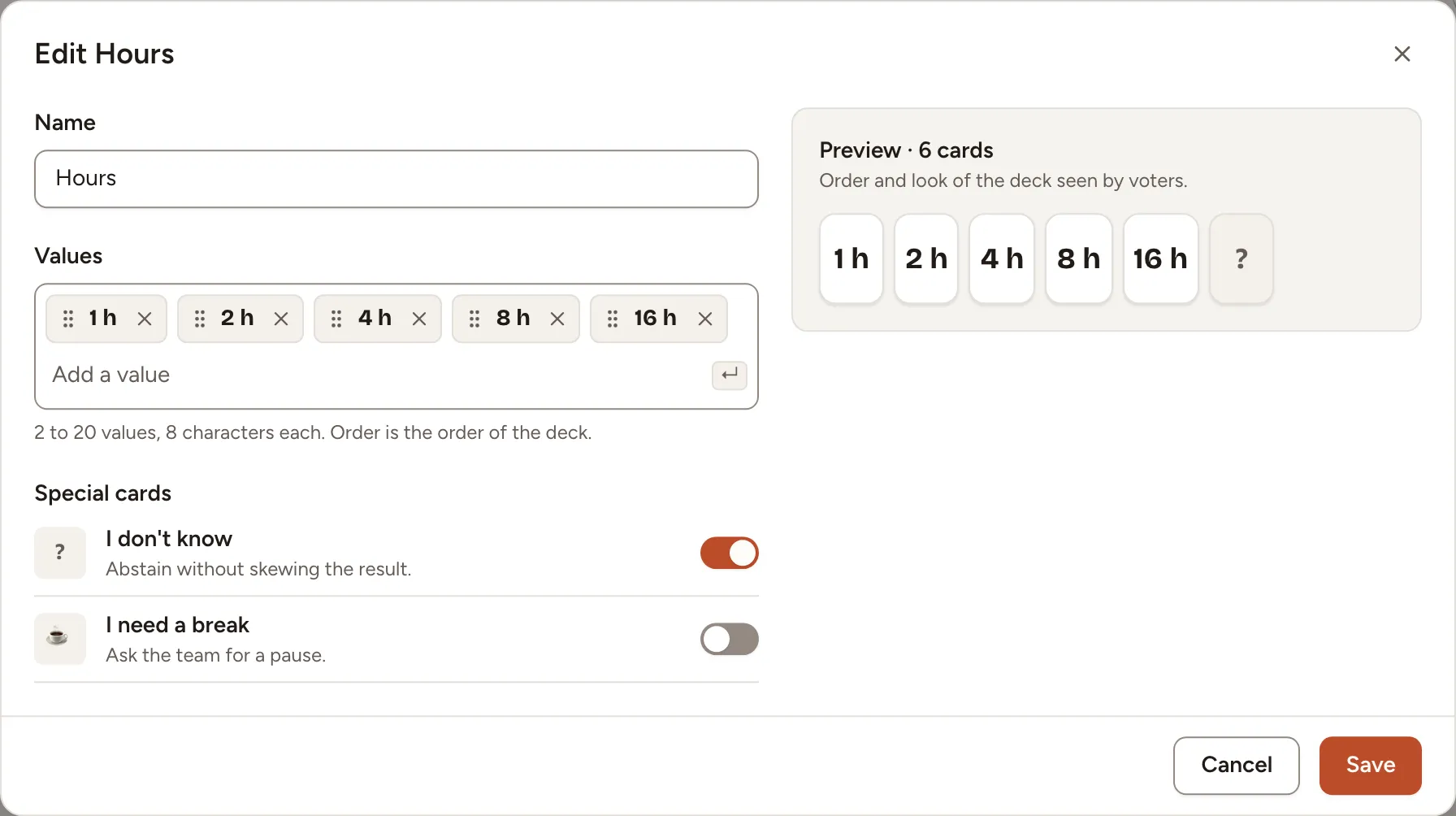
Editing or deleting a saved deck never changes a game: each game keeps the cards it started with.
Share a deck with every team
As an owner or admin of the workspace, open Templates in the sidebar, select New template, then Poker deck. The deck appears in the deck list of every team of the workspace, marked Workspace. A workspace keeps up to 30 of them.