Planning poker
Estimates history
Find what the team estimated, game after game, and how each round was voted.
This page shows where to find every estimate a team saved in its planning poker games. Every member of the team can open it, observers included, and so can the owners and admins of the workspace.
Open the history
- Open the team, then Insights in the sidebar.
- Select the Estimates tab.
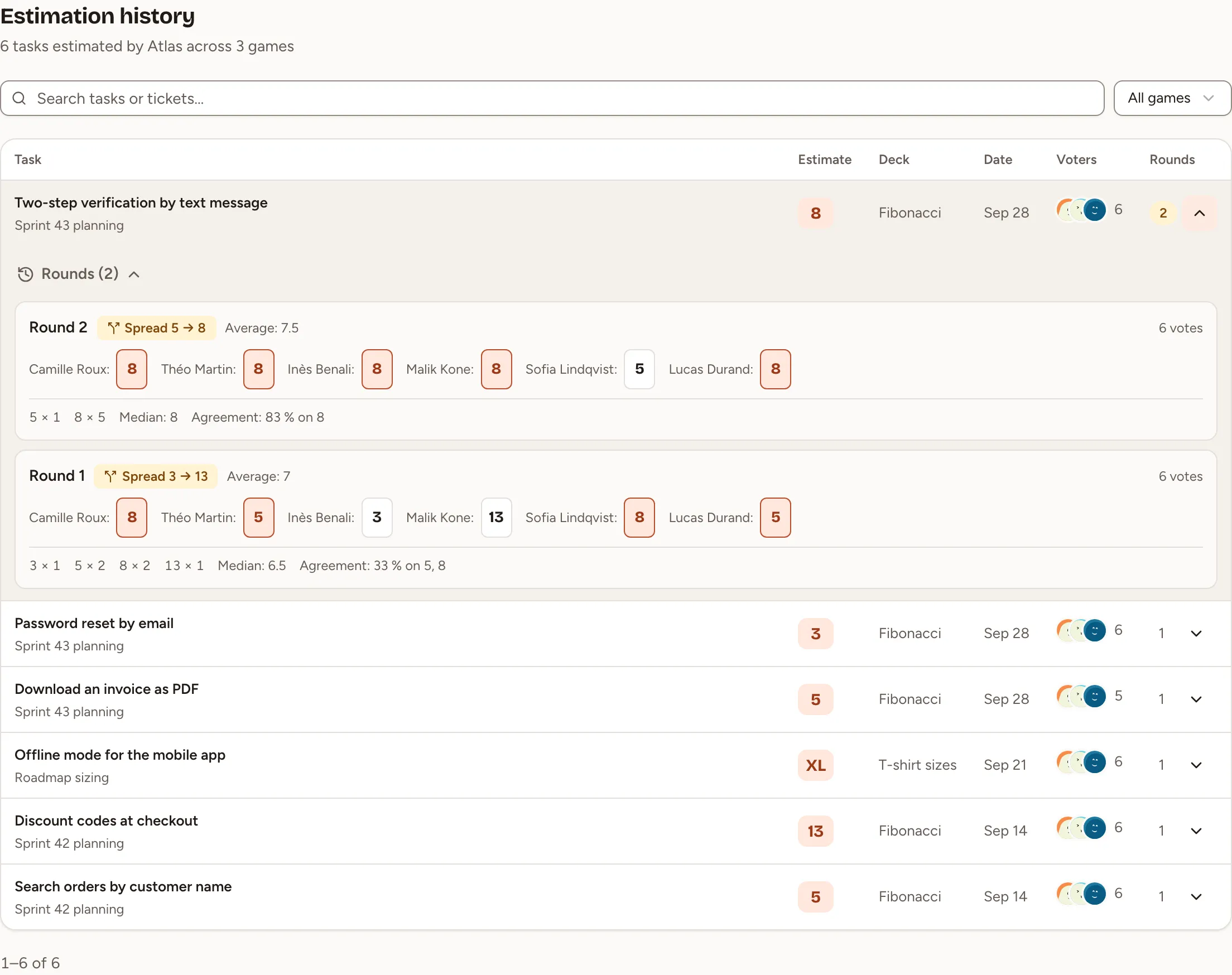
Estimation history lists the tasks of the team’s games that have a saved estimate, the most recent first, 50 to a page. A task appears as soon as the facilitator validates its estimate; a task that was voted but never given an estimate is not listed.
Read a row
| Column | What it shows |
|---|---|
| Task | The title, the key of its issue when it was imported, and the game it was estimated in |
| Estimate | The saved estimate |
| Deck | The deck of the game |
| Date | The day the estimate was saved |
| Voters | Who voted in the last round, and how many. The faces are left out when that round was anonymous |
| Rounds | How many rounds the task took. The number is highlighted when the team voted more than once |
Find a task
- Type in Search tasks or tickets… to search the titles and the issue keys.
- Choose a game in the list that reads All games to keep its tasks only.
Clear filters appears when nothing matches.
See how a task was voted
Select the arrow at the end of a row (Show rounds). Each revealed round of the task is listed, the latest first, with:
- the card of each voter, or the cards without names for an anonymous round;
- how many times each card was played, the median and the agreement;
- the average, on a deck of numbers;
- Consensus when everyone played the same card, or the spread from the lowest to the highest card.
The same rounds are shown in the room while the task is being estimated: see Voting and reveal.